You are away from home, your iPhone battery is nearly empty, and connecting a charger does not seem to help. It is frustrating when you need it for directions or an important call. A portable charger can provide power without an outlet, but first it helps to understand why the phone is not charging. The phrase “iPhone won’t charge” can describe several problems, including a damaged cable, debris in the charging port, a software issue, or a battery problem. A few checks can identify the cause and show whether a portable iphone charger will help.
Start With the Connection
Check that the cable is firmly connected to the phone and power source. Make sure the outlet works. Inspect the cable and adapter for frayed areas, bent connectors, or loose fittings. Stop using damaged accessories. Then test the iPhone with another compatible cable and adapter that you know work. If it starts charging, the original accessory may be faulty.
Look at the Charging Port
Dust and pocket lint can collect inside the charging port and stop the connector from fitting properly. Use a light to look for debris. Do not insert pins or other sharp objects, as they may damage the contacts. Follow Apple’s cleaning guidance or ask a qualified service provider to inspect the port. A loose connector, or charging that works only when the cable is held at an angle, may indicate wear or damage. A power bank will not fix a faulty port.
Give the Phone Time to Respond
If the battery is completely drained, the charging indicator may not appear immediately. Connect the phone to a reliable power source and leave it for about 30 minutes before checking again. If the screen remains unresponsive, try a force restart using the instructions for your iPhone model. Temperature can also interrupt charging. An iPhone may pause or limit charging when it becomes too hot or too cold. Move it away from direct sunlight or cold conditions and let it return to a normal temperature. Optimized charging on supported models may also pause charging temporarily.
When a Portable Charger Is Useful
Once the iPhone and its charging connection work normally, a portable iPhone charger can help when you are away from an outlet. It stores energy in an internal battery and transfers it to your phone through a cable or, with compatible models, a wireless connection. A power bank is handy on commutes, trips, long events, and during an outage. However, it is not a repair tool. If the iphone won’t charge because its port, battery, or internal hardware is damaged, an external battery may not solve the problem.
Choose One That Fits Your Routine
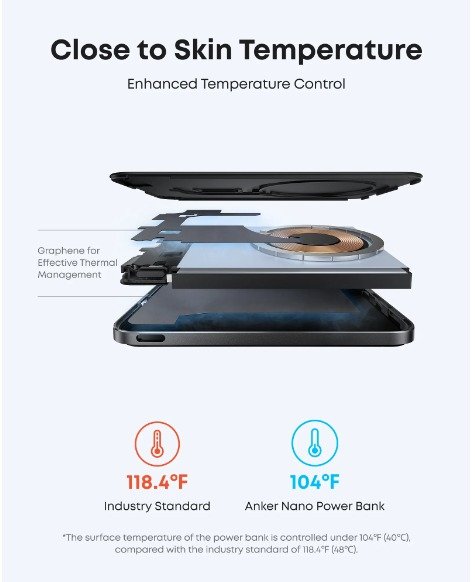
Capacity is a useful starting point, but a bigger number is not automatically better. Higher-capacity power banks store more energy but are generally heavier. Compact models suit daily use; larger ones help on longer trips. Check compatibility before purchasing. The power bank, cable, and iPhone must support the same charging method. Confirm which connector your iPhone uses rather than assuming every model has the same port. Wireless charging is available on supported models, but compatibility depends on the phone and accessory.
Consider how you will carry it: slim models fit small bags, while built-in cables reduce what you pack. For multiple devices, check the number and type of outputs. Recharge the power bank before a trip, keep it dry and away from excessive heat, and stop using it if it becomes swollen, unusually hot, or visibly damaged.
Final Thoughts
A portable iPhone charger is useful when you need power away from an outlet, but distinguish an empty battery from a charging fault. Check the cable, adapter, port, and temperature first. If the phone still refuses to charge, seek qualified support rather than forcing the connection. Choose a power bank based on your iPhone’s connector, charging compatibility, capacity needs, and preferred size. A suitable backup makes travel easier, while troubleshooting can prevent an unnecessary purchase.
Frequently Asked Questions
- Can a portable iPhone charger fix an iPhone that will not charge?
No. A power bank provides an alternative power source; it cannot repair a damaged port, battery, or internal component.
- Why does my iPhone show a charging symbol but the battery percentage stays the same?
The phone may be using power quickly, charging slowly, or responding to temperature. Try a working cable and adapter, reduce demanding activity, and let the phone return to a normal temperature.
- How much capacity should I choose?
It depends on how often you need a top-up and how much weight you want to carry. Compact models suit occasional backup; larger ones are useful for longer trips.
- Is it safe to leave an iPhone connected to a power bank overnight?
Use an undamaged power bank and follow its instructions. Keep charging equipment uncovered and away from heat and moisture.
- What if my iPhone still will not charge after I try another cable?
Check for visible debris without inserting sharp objects, test a reliable power source, and follow the restart guidance for your model. If the issue continues, contact Apple Support or an authorized service provider.