It usually begins with a tiny, worrying sound. A small tick, a repeat click or a sharp knock from your computer or external drive. Then the drive stops reacting, your files go out of sight, and panic in.
Clicking on the hard drive is one of the most frequent signs of severe mechanical failure. The good news is that your data is frequently intact on disk and with the right help it can often be restored. The bad news is, the wrong reaction could destroy it for good.
This guide explains why drives are clicking, which you shouldn’t do, and how hard drive Data Recovery works for clicking drives in London so you can make a calm and informed decision.
Why Do Hard Drives Click?
A traditional hard drive includes a spinning plating platter, your data and read/write heads, suspended at a short distance from their surface to read it. These parts operate with extreme precision. When anything goes wrong, the disk attempts repeatedly to correct the mistake, and this repeated effort will generate click sound.
The most common causes include:
Failed read/write heads. The heads can wear out, become misaligned or stick together, and can no longer read the platters properly.
Damaged platters. Scratches and surface damage may prevent heads from finding data.
Stuck or failing spindle motor. If the platters cannot spin up properly, the drive may click as it tries again and again.
Corrupted firmware. Every drive contains service information which tells it how to work. If it is damaged, then the drive can click and not work.
Physical shock. A laptop drop or external drive bit might immediately replace the internal components.
Whatever the reason, the click of the noise means the problem is a physical problem, not a simple error in the software. It makes it quite different from a file that was accidentally deleted.
What You Should Never Do
When a drive begins clicking, a lot of people try to fix it on their own. Here, it is often the case that there is permanent loss. Avoid the following:
Don’t keep turning that on. Every power-up forces the damaged heads to move across the platters, which can scratch the surface and wipe out recoverable data.
Do not run recovery software. Software cannot repair mechanical faults. It’s forcing a failing drive to be harder.
Do not open the drive. A normal room contains dust particles far larger than the gap between the heads and platters. Opening the shell outside of a cleanroom could destroy a disk.
Don’t freeze it or touch it. These old tricks will not work on modern drives, and can cause further damage.
Do not delay. A failing drive can rapidly worsen, and the sooner it is turned off, the better your chances are.
When you hear clicking, disconnect the device, shut the drive down and contact a professional.
How Professional Recovery Works
Professional labs carry out a detailed process to protect your data in every phase.
- Diagnosis. Engineers first inspect the drive to determine if the accurate fault is a headache, motor problem, firmware corruption or a plate failure. Before any major work starts, a reputable lab will explain the findings and the probable outcome.
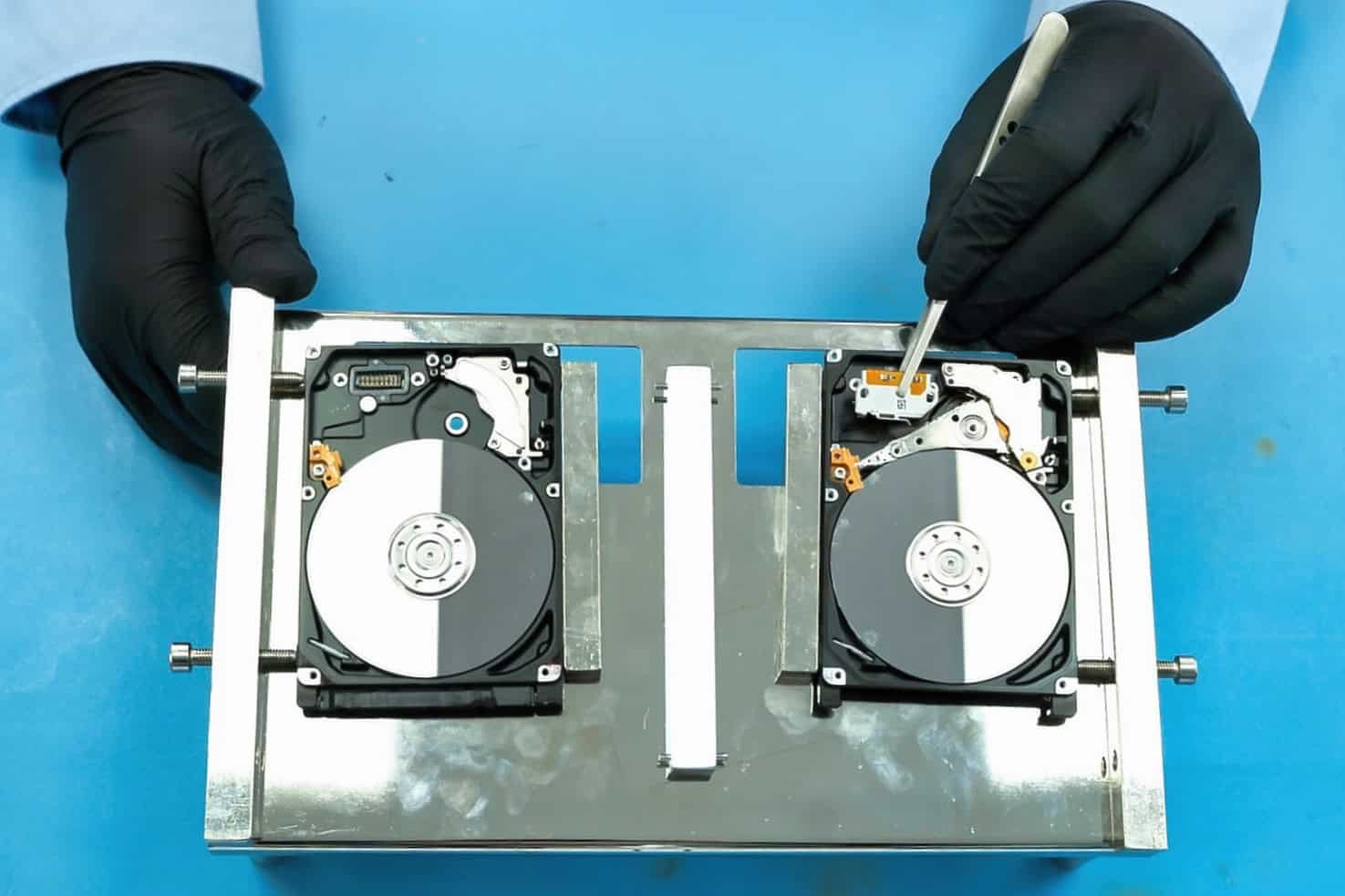
- Clean-room repair. Physical repairs take place in a controlled environment of clean-room where air particles are kept to a minimum. Engineers can replace damaged heads with matching donor components, fix the firmware, or stabilize the drive to read it.
- Imaging. Instead of repeatedly working on the original disk, specialists make a sector by sector copy of legible data. This will reduce the remaining stress on the defective drive.
- Data extraction and verification. The image extracted is analyzed, files are being restored and checked. You can confirm the availability and usefulness of the essential data.
- Secure return. Your files are delivered to a new, healthy device, and your original data will be dealt with in strict confidentiality.
This is the core of hard drive data recovery for clicking drives in London. It is the reason why specialized equipment and experience matter much more than the price simply.
Choosing a Recovery Service in London
London has a large number of providers, and its quality varies significantly. Check these points before transferring your drive:
A genuine clean room. Ask directly if physical repairs are performed in the clean room certified environment.
Free or clearly priced diagnosis. You should know what’s wrong and what you’re going to cost before the work starts.
“No data, no fee” policy. Well, a trustworthy company doesn’t charge for failing recovery.
Transparent quotes. Be careful with very low prices which rise later or secret additional fees.
Experience with your drive type. Laptop drives, external drives, desktop hard drives, and server hard drives are all face-to-face with various challenges.
Independent reviews. Find consistent feedback on multiple review platforms.
Data security. Confidentiality is important particularly if your drive contains information from customers, financial information or personal files.
Convenient options. Many London labs offer walk-in drop-off, courier collection and emergency assistance on the same day or priority service.
Local Drop-Off or Courier Collection?
If you live in or near London, you can speak personally with a technician in a local laboratory to avoid the risk of postal damage.
If you cannot travel, a secure courier is a safer alternative to the regular post. Either way, the drive should be wrapped in anti-static material and cushioned in sturdy packaging, with a note describing the symptoms.
What Affects the Cost and Success Rate?
Each case is different, but the price and the outcome are influenced by a number of factors. Head failure is usually easier to fix than serious damage to the plate.
The amount of data, capacity and model of the drive, how fast you finish it and whether donor parts are available, play a role. Urgent priority service can cost more but it can be worthwhile if a business deadline is on the line.
The best results almost always come from people who immediately stopped using the drive and were looking for professional assistance early.
Protecting Your Data in the Future
Once your files are safe, take steps to prevent repeat experience. Follow the 3-2-1 rule: Keep three copies of major data stored in two different types of storage, with a copy from the site, or in the cloud.
Replace old drives before failure, avoid moving laptops as they run and keep drives away from warmth and humidity. Regular backup will cost much less than any emergency recovery.
Conclusion
Clicking the hard drive is a warning that must never be ignored. But it is not always the end of your data. Stop using the drive, avoid DIY fixes and choose a trusted specialist with a cleanroom, clear prices and a guarantee without data fees.
With the right approach to hard drive data recovery for click drives in London, many people had gone away forever, recovering photos, documents and business files they feared. Act swiftly, keep calm and allow experts to carry out delicate activities.