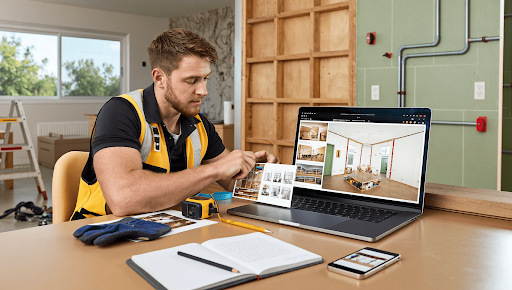
Somebody choosing a plumber, an electrician or a paving contractor is looking at photographs of finished jobs.
Not the copy. Not the accreditation logos, which every competitor also has. The photographs, because they are the only evidence available that the person turning up can actually do the work.
Which means a trade business with twelve good photographs beats one with two blurry ones, regardless of who is better at the job. That is an uncomfortable fact and it is how the decision gets made.
Most trades know this and still have almost no usable images, because photographing a finished job at six in the evening when you want to go home is the last thing on the list.
An AI Image Generator does not solve that problem, but it addresses a different need: creating everything that isn’t a photograph of your work. Higgsfield, an AI creative suite, helps produce these additional visuals.
What Must Never Be Produced?
Your finished work. There is no version of this that ends well.
- Never generate a completed job and present it as yours
- Never produce a before and after, in any form
- Never use another company’s photographs, which is both theft and discoverable
- Never alter a finish to look better than it is
- Never use an AI Image Generator anywhere a customer is judging workmanship
The discoverability point is what makes this different from other industries. Trade photographs circulate, customers reverse image search, competitors notice, and the trade bodies and review platforms act on complaints.
A customer who booked on the strength of a photograph and received something else leaves a review that outlives the job by years.
Photograph your own work. Twelve honest photographs of competent jobs outperform anything produced.
Why Do Photographs Matter So Much for Trades?
Because they are the only evidence a customer can assess before committing.
A prospective customer cannot judge whether your wiring is tidy, whether your pointing is neat or whether your tracks are laid level. What they can do is look at pictures and form an impression.
Where those photographs actually do the work:
- Google Business Profile, which is where local searches land
- Your website gallery, where comparison happens
- Quotes and proposals, which look considerably better with them
- Social posts, which reach people before they are searching
- An AI Image Generator diagram alongside them, explaining the work
The business profile is the one that matters most for local trades. It appears above the website in most local searches, and profiles with substantial genuine photography convert better than those without.
Add photographs regularly rather than once. The profile rewards activity and customers notice recency.
How Do You Photograph a Job Properly?
From a fixed position, three times, in two minutes.
- Before, from where you will stand afterwards, with no AI Image Generator work on it ever
- During, showing the part nobody sees once it is finished
- After, from the same position as the before
- Details, close enough to see the finish
- Wide, so the context is clear
The same position rule is what makes a before and after honest and convincing. Different angles exaggerate the change and look staged, and customers who have seen a few can tell.
The during shot is the one trades undervalue. A photograph of a properly prepared sub-base, a neatly dressed consumer unit or a correctly bedded membrane shows competence that the finished surface hides entirely.
Tidy up before the after shot. Tools and offcuts in frame undo the work, and no AI Image Generator pass should be removing them afterwards.
Does Bad Weather and Bad Light Matter?
Considerably, and most trade photography is taken in the worst possible conditions.
Jobs finish at the end of the day, frequently indoors, frequently in winter. That is dim light, mixed colour temperature and a phone doing its best with neither.
What actually helps:
- Switch on every light in the room before shooting
- Turn off the flash, which flattens everything and creates hard shadows
- Open the curtains, since daylight beats any bulb available
- Hold still, because low light means a slower shutter
- Shoot a few frames, since one will be sharper than the others
Mixed lighting is the subtle problem. A room lit by daylight through a window and a warm bulb overhead produces two different colour casts in one frame, and the result looks wrong without anybody identifying why.
Turn the bulb off and use the window, or close the curtain and use the bulb. One source is better than two that disagree.
An AI Image Generator cannot fix a dark photograph of real work, and correcting exposure afterwards is the limit of what is honest anyway.
If the job genuinely cannot be photographed well, go back in daylight. Customers understand a tradesman asking to pop round for five minutes.
Do You Need the Customer’s Permission?
Yes, and almost nobody asks.
You are photographing somebody’s home or premises. Publishing those images without their agreement is a problem, regardless of how good the work is.
- Ask before photographing, not afterwards
- Add a line to your terms, which covers it permanently
- Never show identifying features, including house numbers and street views
- Never include people without separate permission
- Remove on request, promptly and without argument
The identifying features point protects the customer and costs you nothing. A photograph of a finished kitchen with the address visible through a window tells anybody watching where expensive new appliances are.
Most customers are pleased to be asked and happy to agree. The one who declines has a reason, and it is theirs.
What About Branding and Van Livery?
A legitimate and genuinely useful case.
- Explore livery designs before committing to a wrap
- Try logo directions before paying a designer
- Produce social graphics and quote cards consistently
- Design leaflets and door drops
- Keep the AI Image Generator treatment so everything matches
Van livery is expensive to get wrong. Seeing twenty directions before approving one is an afternoon and prevents a mistake that drives around advertising itself for five years.
Commission the final artwork properly. An exploration tool produces directions, and a designer produces something that works at every size on every surface.
Keep it consistent across the van, the website, the invoices and the quotes. Customers notice coherence even when they could not name what they noticed.
Should Photographs Protect You Too?
They should, and this is the use that pays for itself first.
- Photograph existing damage before starting any job
- Record the condition of floors, walls and surroundings
- Date everything, which the file does automatically
- Photograph completed work before leaving
- Keep it all, separately from anything you publish
The existing damage record settles the argument that arrives two weeks later about a scratched floor or a cracked slab. Without it, the conversation is one person’s word against another’s.
For anybody working inside homes, this is routine protection and takes thirty seconds at the start of each job.
Keep those photographs away from your published gallery. They are evidence rather than marketing and they get filed differently.
How Should the Images Be Organised?
By job and date, which sounds obvious and almost nobody does.
- Name by job address or reference, and date
- Separate published images from protective records and from AI Image Generator output
- Keep the photographic originals at full size, away from any AI Image Generator files
- Note which customers have given permission, outside Higgsfield
- Store the Higgsfield project for any illustrative material
The permission record is the one you need when somebody asks for an image to be removed. Finding it quickly is the difference between a short email and a problem.
Keeping illustrations in a separate place from photographs prevents the mistake that actually matters, which is a diagram ending up in a gallery of real work.
Back it up off the phone. A phone lost on a site takes a year of evidence with it.
Where Does an AI Image Generator Genuinely Help?
Explaining things that are difficult to photograph.
- Diagrams showing how a component works or fails
- Cutaway illustrations of layers, structures and assemblies
- Process graphics showing the stages of a job
- Comparison illustrations, such as correct against incorrect
- An AI Image Generator safety graphic, where showing the hazard is impractical
The diagram use is the strongest for trades specifically. A torsion spring, a patio sub-base, a damp-proof course or a bonding arrangement are all things customers ask about and none of them photograph clearly.
A guide to what goes wrong with sectional garage doors is a good example of content where an illustration explains in one frame what three paragraphs struggle with.
Label illustrations as illustrations. Customers accept a diagram without hesitation and object to being shown a drawing presented as a photograph.
What Should Go on a Google Business Profile?
Real work, regularly, in reasonable light.
- Finished jobs, several, across the range of what you do
- The van and the team, which humanises the listing
- Interior and exterior shots where relevant
- New photographs monthly rather than a single upload
- Nothing from an AI Image Generator, since this is a trust surface
The regularity point is practical. A profile that gains photographs steadily looks like an active business, and one with eight pictures from 2022 looks like something else.
Photographs also answer the questions customers do not ask. Whether your van is clean. Whether your work looks tidy. Whether you look like somebody they want in the house.
Those judgments are being made whether or not you participate in them.
Does Social Content Need a Different Approach?
Shorter, more frequent, and less polished than people expect.
- Post jobs as you finish them, which is the whole method
- Show the unglamorous parts, which perform surprisingly well
- Explain what you did, in a sentence
- Use an AI Image Generator graphic for tips and seasonal advice
- Keep the same look across everything
Trade audiences respond to competence rather than production. A photograph of a properly clipped cable run or a neatly finished reveal does more than any designed graphic.
The seasonal advice posts are where illustration earns its place. Frozen pipes, gutter clearing, checking a boiler before winter. Those are useful to people who are not currently buying, which is how you reach them before they are.
Consistency matters more than quality. Posting weekly with a phone beats posting monthly with a photographer.
What Would One Week Build?
Enough for a year, if you start now.
- Photograph every job this week, three shots each
- Ask each customer for permission, with a line on the paperwork
- Photograph existing damage at the start of each job, kept out of Higgsfield entirely
- Produce two or three diagrams in Higgsfield for common questions
- Upload to the business profile as you go
- File everything by job and date
- Save the Higgsfield treatment for graphics
Then look at your profile beside two competitors and see which one you would ring.
The two minutes per job is the entire investment. Everything after it is filing, and the Higgsfield graphics take one sitting.
Final Words
A trade business is chosen based on photographs of real work, and the ones who win the comparison are usually just the ones who took the pictures.
An AI Image Generator handles the diagrams, the branding and the seasonal graphics around that, and Higgsfield runs it in a browser from a phone on site.
Three photographs per job, from the same spot, with permission. Two minutes that compound into the thing customers actually use to decide.