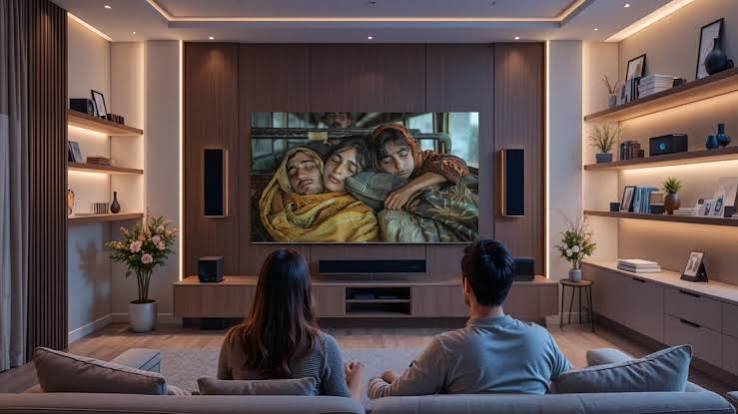
A guest should be able to enjoy the television without learning how the household manages every device and account. The most helpful preparation is a short, tested routine that covers ordinary viewing and leaves private information with the owner. Decide what the guest may use, confirm the relevant service conditions and make the controls easy to understand. That is usually more useful than handing over a folder of passwords alongside the remote.
Decide what you are offering
Think about the visit and the room the guest will use. Explain which equipment is available and whether the owner needs to be present for any account action. Keep the arrangement modest and clear. A visitor should not have to guess whether they may add applications, make purchases or change a shared setup.
Confirm the relevant account conditions before relying on an arrangement. A private visit, a second property and a commercial accommodation offer can raise different questions. Ask about the actual use rather than assuming that any successful playback establishes permission. Keep uncertain conditions out of the instructions until they have been clarified.
Leave the room in a predictable state
Set the television to the usual starting position and put the controls where the guest can find them. Label similar remotes if necessary. Use the equipment’s existing labels in your guide so the wording matches what the visitor sees. Remove obsolete instruction cards that refer to a previous device or application.
Check the room from the guest’s seat. Make sure the main menu is readable and the volume control is obvious. Ask whether subtitles or a different seating position would help. A welcoming setup supports the person using it rather than assuming every guest has the same preferences or technical confidence as the owner.
Keep the service identity understandable
If Pro Max 4K is being considered for the household, use its homepage as the starting point and confirm the intended setup directly. Record the account provider separately from the player application or television manufacturer. Those organisations may support different parts of the experience.
The guest guide does not need a history of the purchase. It can simply identify the owner’s contact for account questions. Keep the private service record elsewhere with the relevant order and support details. This gives the owner enough information to act without putting sensitive records into a document intended for visitors.
Explain three everyday actions
Show how to start viewing, adjust sound and finish. Keep the instructions short enough to follow while holding the remote. Use visible actions rather than technical shorthand. If the guest changes inputs for another activity, explain how to return to the normal starting point.
Test the guide with someone unfamiliar with the room. Let them proceed without hints and notice where they hesitate. Revise the instruction rather than treating the hesitation as a failure to remember. A guide is successful when the visitor can use it, not when the person who wrote it thinks the steps are obvious.
Keep account recovery and payments private
Store passwords, recovery information and payment records through an appropriate secure method. Do not print them beside the television or include them in a widely shared welcome document. An authorised existing setup may allow ordinary use without revealing every credential behind it; confirm the relevant arrangement rather than improvising access.
Tell the guest what to do if a payment or expiry message appears. Usually that means contacting the owner, who can make the decision through the recognised route. A visitor should not feel obliged to solve a household account issue by entering their own card details or creating another account.
Handle the household subscription separately
Use the Pro Max 4K pricing page to investigate published options and verify the period, currency and conditions relevant to the household. Check any simultaneous playback or device requirement before the visit. Keep separate application charges distinct from the viewing subscription.
Assign responsibility for renewal and preserve the actual order details. If the guest’s expected use changes the arrangement, ask the provider before assuming an old answer covers it. A clear household record lets the owner resolve a question without involving the visitor in an unfamiliar sales or support conversation.
Offer a safe route when something fails
Give the guest one contact and a short instruction: describe the message or symptom, then ask before changing the setup. They should not need to search public comments for help or disclose account details to strangers. Keep any screenshot limited to the relevant information and check it for private content.
Have a fallback that does not depend on repeated troubleshooting. Another activity may be a better use of the visit than a long sequence of resets. The owner can investigate later with the device, application and time recorded. A comfortable stay does not require every technical problem to be solved immediately.
Separate hospitality from supplying accounts
A business considering customer account supply should investigate the Pro Max 4K reseller information and confirm the relevant responsibilities. That is a different decision from helping a private houseguest use a television. Do not infer commercial permissions or public-display conditions from an ordinary household account.
Keep business records and customer support away from the guest’s everyday instruction card. If a property is used in more than one way, establish the applicable conditions for each arrangement. Clear roles prevent an informal welcome from becoming an unclear promise about services the host has not confirmed.
Review access after the visit
If you will be away, explain when the guest can reasonably expect a reply. Leave an alternative activity available rather than promising immediate technical support you cannot provide. A clear expectation is more reassuring than an invitation to change unfamiliar settings while waiting for the host to respond.
Check whether any temporary arrangement needs to be removed through the appropriate account process. Return the room to its normal starting state and update the guide if the guest identified a confusing step. Keep the current version easy to find for the next visit.
Good hospitality makes ordinary actions feel easy. A predictable setup, a short guide and a clear owner contact let a guest enjoy the screen while private accounts remain managed deliberately. The television becomes a useful part of the visit instead of another unfamiliar system the guest is expected to administer.