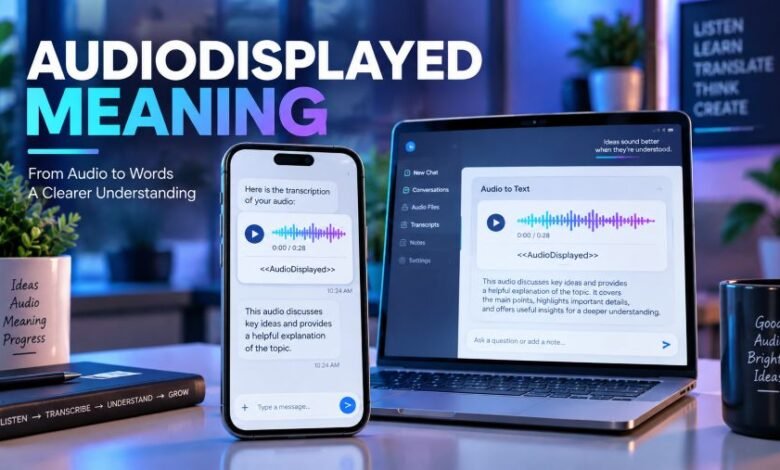
Audiodisplayed Meaning: What Does AudioDisplayed Really Mean?
A simple explanation of AudioDisplayed in text, chats, transcripts, voice messages, apps, and technical screens

Introduction
You may have seen Audiodisplayed somewhere online.
It looks slightly strange.
Is it slang? A voice-note status? Does it mean somebody listened to your audio?
Usually, no.
The Audiodisplayed meaning depends on where the term appears. In simple terms, it usually points to an audio item being shown, represented, or marked by a digital system.
That does not automatically mean playback happened.
This distinction matters.
Quick Facts About Audiodisplayed
| Quick Fact | Answer |
|---|---|
| Term | Audiodisplayed / AudioDisplayed |
| Basic meaning | Audio content was shown or represented |
| Standard everyday word? | No |
| Common internet slang? | No fixed slang meaning |
| Does it mean played? | Not necessarily |
| Does it prove someone listened? | No |
| Can it appear in transcripts? | Yes, depending on the system |
| Can it be a technical label? | Yes |
| Same as audio description? | No |
| Meaning depends on context? | Yes |
What Does Audiodisplayed Mean?
The simplest Audiodisplayed meaning is:
An audio item has been displayed or represented by a system.
Think about the two parts.
Audio means recorded or generated sound.
Displayed means something has been shown or presented.
Put them together and you get a phrase that may describe an audio player, voice recording, sound clip, transcript marker, or another audio-related element appearing in an interface.
Pretty simple.
But there is one catch.
Displayed does not always mean played.
MDN’s documentation for the HTML <audio> element makes this difference clear. A browser can show audio controls, including a play button and volume controls, without starting playback. Playback is treated as a separate action.
Is Audiodisplayed a Real English Word?
Audiodisplayed is not normal everyday English usage.
In regular writing, you would expect:
audio displayed
Two words.
Digital systems often join words together, though.
You may see forms such as:
- AudioDisplayed
- audioDisplayed
- audiodisplayed
- audio_displayed
- audio-displayed
<<AudioDisplayed>>
Current web pages discussing the phrase also treat it mainly as a technical-looking label or joined version of “audio displayed,” rather than common slang.
So, basically, context matters more than spelling.
What Does <<AudioDisplayed>> Mean?
A form such as:
<<AudioDisplayed>>
looks like a placeholder.
In a text transcript, a placeholder can mark the position where non-text content appeared.
For example:
Alex: Listen to this.
<>
Sam: I heard it.
The marker itself does not tell us what the recording said.
It only shows that audio may have existed at that point in the source conversation or interface.
Several current web pages use <<AudioDisplayed>> in this transcript-placeholder sense. Yet there is no single public technical standard saying that every service must use the tag in exactly the same way.
So do not give the marker more meaning than the surrounding system supports.
Audiodisplayed Meaning in Text
Seeing Audiodisplayed in text can feel confusing.
Actually, the surrounding lines usually give the best clue.
The label may represent:
- an audio clip
- a voice message
- an audio player
- media that could not be placed directly into plain text
- a system event
- copied interface text
- transcript metadata
It is not widely established as texting slang.
You should not read it like “LOL,” “BRB,” “IDK,” or another normal abbreviation.
Current sources covering this keyword also make that distinction.
Audiodisplayed Meaning in Chat
Inside a chat record, Audiodisplayed may indicate that an audio-related item appeared between messages.
Say a conversation looks like this:
Person A: Check this recording.
AudioDisplayed
Person B: Okay.
The safest interpretation is simply:
An audio element appeared there.
We cannot tell from the label alone whether Person B:
- played it
- heard all of it
- downloaded it
- saved it
- ignored it
- deleted it
Those are different actions.
That is the key point.
Does Audiodisplayed Mean Someone Listened?
No reliable general rule says that it does.
This is probably the biggest misunderstanding around the keyword.
Displaying an audio player and playing audio are technically separate events.
MDN documents separate browser media events such as play, playing, pause, and other playback-related states. A visible audio control does not itself prove that playback began.
So if you only see:
AudioDisplayed
do not assume:
“They listened to my voice message.”
You need a platform-specific playback indicator for that conclusion.
Audio Displayed vs Audio Played
These sound similar.
They are not the same.
Audio Displayed
This can mean an audio item or its controls became visible.
For example:
A page shows a player.
The user sees a play button.
Nothing has started yet.
Audio Played
This means playback actually begins.
MDN treats the browser’s play event as the point where playback has begun.
That technical difference gives us a useful rule:
Displayed = shown.
Played = playback started.
Easy.
Does Audiodisplayed Mean Seen?
Not always.
A system might show an audio element without using the same logic as a messaging app’s “seen” or “read” receipt.
These states can be separate:
| Status | Possible Meaning |
|---|---|
| Displayed | Audio element was shown |
| Delivered | Content reached its destination |
| Seen | A message or conversation was viewed |
| Opened | User opened the item |
| Played | Playback started |
| Completed | Playback reached the end |
The exact labels depend on the software.
Never swap one status for another without documentation.
Audiodisplayed and ChatGPT Voice
ChatGPT supports voice conversations.
OpenAI explains that Voice lets a user speak to ChatGPT and hear spoken responses. Text can appear alongside spoken responses, and a transcript is added to the chat after a Voice conversation. OpenAI also warns that these transcripts may not exactly match every word that was spoken.
That tells us something useful.
Audio and text representations can exist together.
Still, OpenAI’s current Voice documentation does not define AudioDisplayed as an official status meaning:
- listened
- completed
- heard
- read
So seeing that particular label should not be treated as proof of any of those actions unless the interface where it appears gives a specific definition.
Voice Dictation Is Different
ChatGPT Dictation works differently from a live Voice conversation.
OpenAI says that pressing the microphone icon records audio, sends it for transcription, and returns editable text before the user sends the message.
That is transcription.
It is not the same thing as an AudioDisplayed status.
Again, similar audio-related features can mean very different things.
Audiodisplayed Meaning on WhatsApp
Be careful here.
A number of recent third-party pages claim that <<audiodisplayed>> may appear when a WhatsApp conversation is exported or converted into text and an audio item is represented by a placeholder.
But I could not verify an official WhatsApp definition that says the exact label Audiodisplayed always has that meaning.
So the safer statement is:
In some exported or processed chat records, Audiodisplayed may act as a placeholder for an audio or voice item.
Do not claim it is a universal WhatsApp status.
That would go beyond the evidence.
Audiodisplayed Meaning on Instagram, TikTok or Snapchat
There is no strong evidence showing that Audiodisplayed has one standard slang meaning across Instagram, TikTok, Snapchat, Facebook, or similar social apps.
It could come from:
- copied data
- chat-processing software
- transcripts
- browser tools
- accessibility software
- third-party applications
- internal interface labels
So, honestly, guessing based only on the app name is risky.
Check where the term appeared.
That usually solves it.
Is Audiodisplayed a Programming Term?
It can look like one.
Names such as:
audioDisplayed
are normal-looking developer identifiers.
A programmer could create:
audioDisplayed = true
to record that an audio component appeared on screen.
But AudioDisplayed is not a universal programming keyword with one fixed meaning.
Its meaning depends on the code written by the developer.
Web browsers already track media through specific playback events. MDN lists separate events for play, pause, loading, seeking, volume changes, and other media actions.
So a custom audioDisplayed event could easily be separate from playback.
Is Audiodisplayed the Same as Audio Description?
No.
These are different terms.
Audio description is an accessibility feature.
The World Wide Web Consortium, or W3C, defines audio description as narration added to describe important visual details that cannot be understood from the normal soundtrack alone.
For example, a film may show someone silently opening a letter.
Audio description might tell a listener what happened visually.
W3C explains that descriptions can cover actions, characters, scene changes, on-screen text, and other visual information.
That has nothing to do with whether an audio item was “displayed.”
So:
Audiodisplayed ≠ Audio description.
Can Audio Be Displayed Without Being Played?
Yes.
This happens every day.
A web page can display an audio player containing:
- a play button
- timeline
- volume controls
- duration
- pause controls
The recording can sit there untouched.
MDN confirms that the HTML audio element can show browser controls that let users start or control playback. Autoplay is a separate setting.
That makes the distinction very clear.
Seeing audio is not the same as hearing it.
Does Audiodisplayed Mean the Audio Was Deleted?
No.
The label alone cannot prove deletion.
If Audiodisplayed appears inside a transcript, the original audio may have been:
- stored somewhere else
- left inside the original application
- excluded from the text copy
- represented only by a placeholder
Or something completely different may have happened.
You need more context.
The word itself does not answer that question.
Does Audiodisplayed Mean Your Microphone Is Recording?
No general evidence supports that interpretation.
Displaying audio and recording microphone input are different actions.
For example, OpenAI describes microphone dictation as an explicit recording action that sends recorded audio for transcription.
A vague AudioDisplayed label by itself is not proof that microphone recording is active.
Check the app’s own microphone indicator instead.
Is Audiodisplayed an Error Message?
Not necessarily.
It may simply be:
- a placeholder
- system text
- interface metadata
- a developer label
- a transcript marker
- copied formatting
Sometimes internal-looking labels appear where normal users can see them.
That can look odd.
Still, odd does not automatically mean broken.
Why Is AudioDisplayed Written Without a Space?
Software naming styles often join words.
For example:
Audio Displayed
can become:
AudioDisplayed
or:
audioDisplayed
This sort of naming is common in technical interfaces and code.
A joined version may then get copied into plain text as:
audiodisplayed
That is one reasonable explanation for why the term looks unusual.
Common Audiodisplayed Variations
People may search for:
- Audiodisplayed
- AudioDisplayed
- audio displayed
- audioDisplayed
<<AudioDisplayed>>- audiodisplayed meaning
- audiodisplayed meaning in text
- AudioDisplayed meaning in chat
- audiodisplayed WhatsApp meaning
- what does audiodisplayed mean
- does audiodisplayed mean listened
- audio displayed vs played
These searches usually point toward the same main question:
What happened to the audio?
The answer depends on the system.
What Audiodisplayed Does Not Prove
Seeing the label alone does not prove that:
- someone listened
- playback started
- playback finished
- someone downloaded the audio
- the recording was deleted
- somebody read your message
- your microphone turned on
- someone saved the recording
- the audio was fully transcribed
Keep that distinction clear.
It avoids a lot of confusion.
Final Thought
The Audiodisplayed meaning is simpler than it first appears.
It normally points to an audio item being shown, represented, or marked inside a digital system.
But there is no single official meaning that works across every app.
The biggest mistake is treating displayed as played.
They are different actions.
If you see AudioDisplayed inside a transcript, chat record, app, or technical screen, check the surrounding context first. That tells you far more than the word alone.
Frequently Asked Questions
What does Audiodisplayed mean?
Audiodisplayed usually means an audio-related item was shown, represented, or marked by a digital system.
Is Audiodisplayed a real word?
It is not common everyday English. “Audio displayed” would normally be written as two words.
Does Audiodisplayed mean someone listened?
No. Displaying an audio item does not prove that playback started.
What does <<AudioDisplayed>> mean in a transcript?
It may act as a placeholder showing that an audio item occurred at that point. The exact meaning depends on the system that created the transcript.
Does Audiodisplayed mean played?
Not necessarily. A displayed player can remain visible without anyone pressing play.
Is Audiodisplayed WhatsApp slang?
There is no verified universal WhatsApp slang definition for it. Some third-party sources associate the term with exported or processed audio messages, but that should not be treated as an official WhatsApp rule.
Is Audiodisplayed the same as audio description?
No. Audio description is an accessibility feature that describes important visual information through narration.
Can Audiodisplayed be a coding label?
Yes. A developer can use audioDisplayed as a custom variable, state, or event name. It is not a universal programming keyword.